What does it mean that the email was suppressed?
A suppression happens when you try sending an email to a recipient that previously bounced or marked your email as spam.
To protect your sender reputation and our sending infrastructure, we proactively stop that delivery from happening.
What caused the suppression?
The suppression is caused by:
Bounced when the recipient’s mail server rejects the email and the response indicates a permanent failure to deliver. There could be multiple reasons why an email bounced.Complained when the recipient marked your email as spam.
Not all Inbox Service Providers return a complained event. Most notably,
Gmail/Google Workspace doesn’t.
Suppression Scope
The suppression list is per region. If a recipient bounces or complains when sent from mail.yourdomain.com, that address is suppressed for all domains in your region, including news.yourdomain.com or any other subdomain.
This means:
- A hard bounce on any domain in your region suppresses the address across all domains in the region
- A spam complaint from any domain suppresses the address region-wide
- Removing an address from the suppression list removes it for all domains in the region
Viewing Suppression Details in Resend
You can see the suppressed details by clicking on the email, and hovering over the Suppressed label.
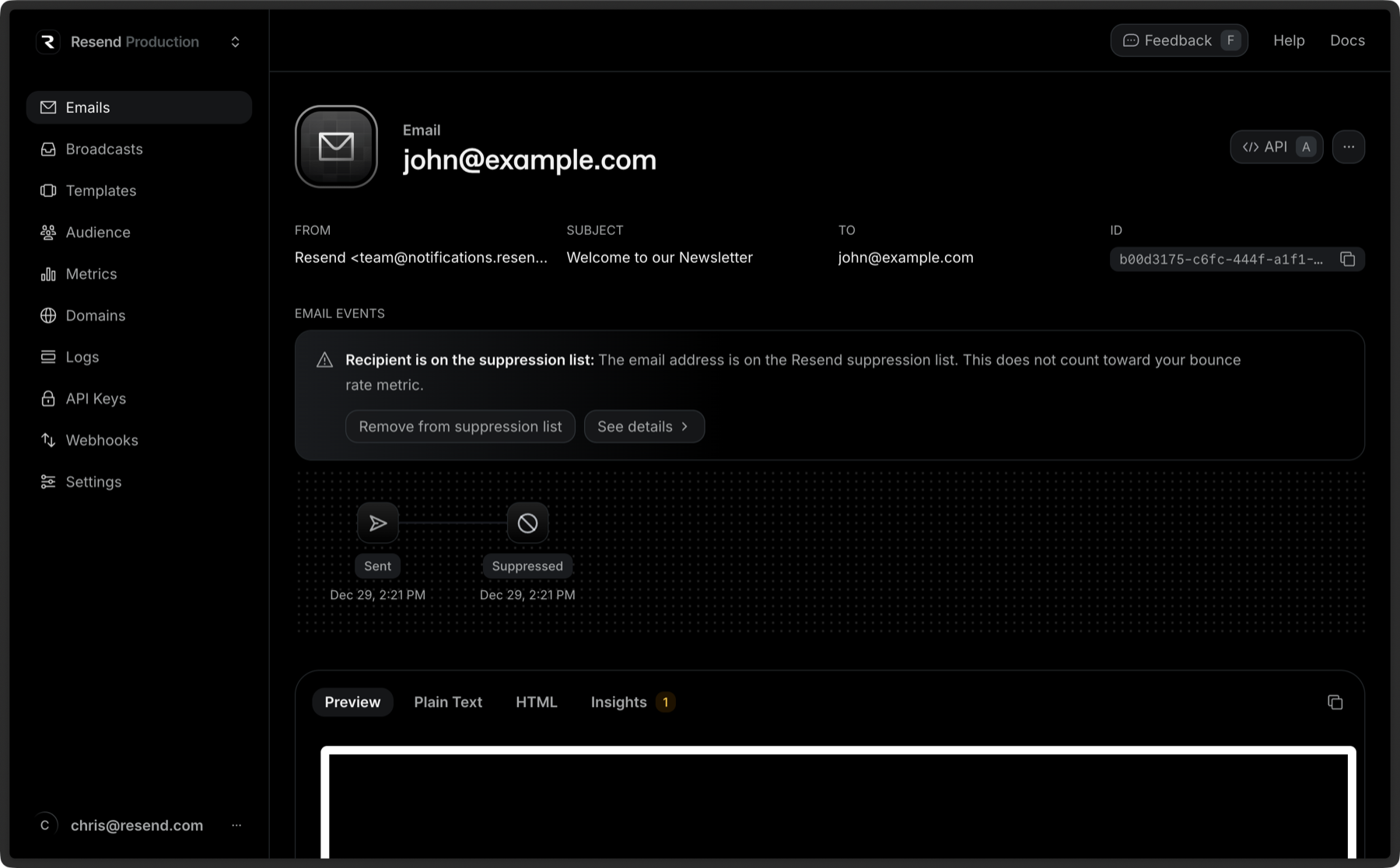 Once you click See Details, the drawer will open on the right side of your screen with the suppression reason along with suggestions on how to proceed.
You can also click Remove from Suppression List to prevent the address from being suppressed. Do note that if it bounces or is marked as spam again, it’ll be suppressed again. Multiple or repeated bounces will negatively impact your sender reputation.
Once you click See Details, the drawer will open on the right side of your screen with the suppression reason along with suggestions on how to proceed.
You can also click Remove from Suppression List to prevent the address from being suppressed. Do note that if it bounces or is marked as spam again, it’ll be suppressed again. Multiple or repeated bounces will negatively impact your sender reputation.
